Key Takeaway
Panasonic Recalls Lithium-ion Laptop Battery Packs Due to Fire Hazard was recalled on March 21, 2016. What to do: Consumers should immediately stop using the laptop computer with the recalled battery, power off the device, remove the battery pack and contact Panas...
Panasonic Recalls Lithium-ion Laptop Battery Packs Due to Fire Hazard
Description
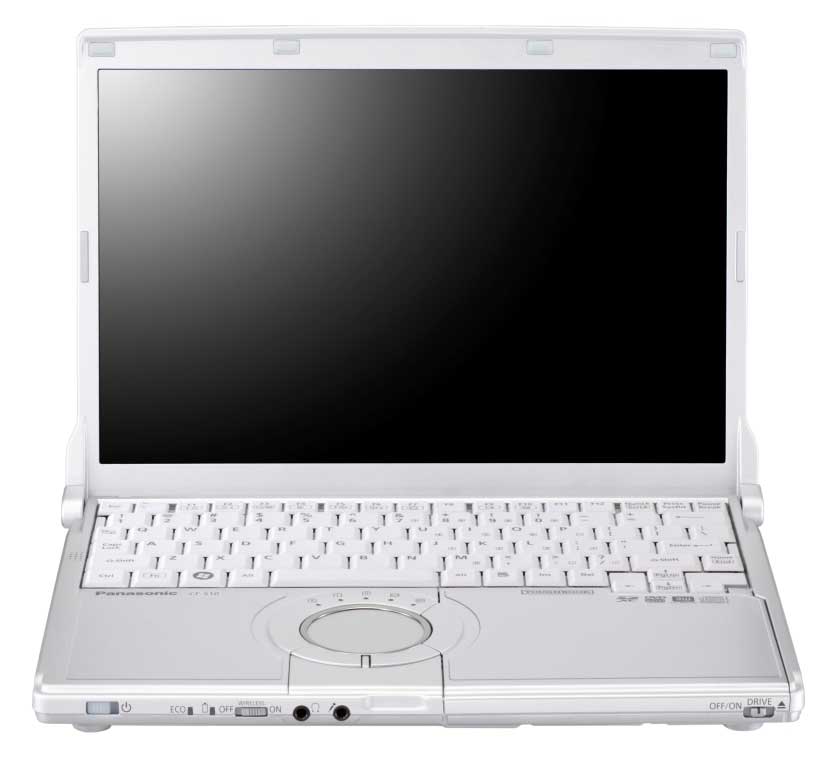
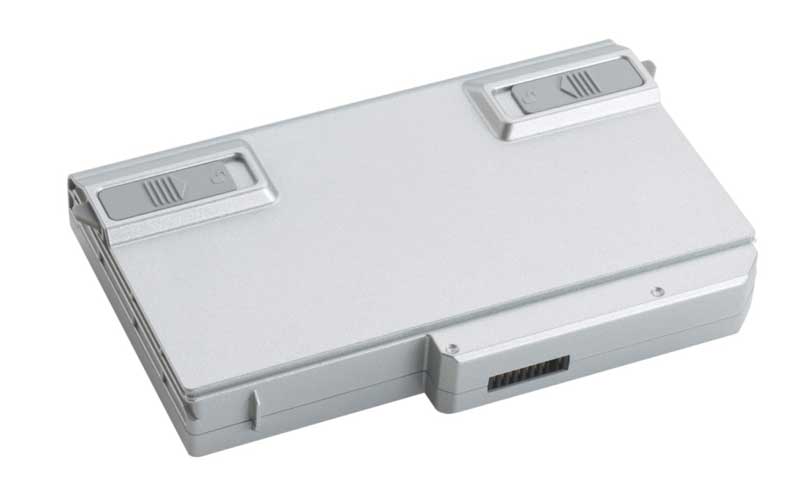
This recall involves Panasonic six-cell lithium-ion (Li-ion) battery packs sold in Panasonic CF-S10 Series laptop computers. "Panasonic" and "CF-S10" are on the surface of the laptop on the left side below the keyboard. Battery packs with the following model numbers and production lot numbers are being recalled: Model Numbers Lot Numbers CF-VZSU61U BAW, BBX, BC, C1, C2 CF-VZSU61R The model number and lot number are located on the battery pack nameplate.
Injuries / Consequence
None reported
Remedy
Consumers should immediately stop using the laptop computer with the recalled battery, power off the device, remove the battery pack and contact Panasonic for a free replacement battery pack.
Products Affected
Lithium-ion Computer Battery Packs
Batteries and ChargersImages
Related Recalls
Denon Recalls Rechargeable Battery Packs Due to Fire and Burn Hazards
September 20, 2016
HP Recalls Batteries for HP and Compaq Notebook Computers Due to Fire and Burn Hazards
June 23, 2016
Sony Recalls VAIO Laptop Computer Battery Packs Due to Burn and Fire Hazards
June 15, 2016
Brunton Outdoors Recalls Battery Packs Due to Fire Hazard
April 19, 2016
Toshiba Recalls Laptop Computer Battery Packs Due to Burn and Fire Hazards
March 30, 2016
Limoss Recalls Battery Power Packs for Power Recliners and Lift Chairs Due to Fire Hazard
December 8, 2015
Frequently Asked Questions
Is this recall still active?
Check the status badge at the top of this page. "Ongoing" means the recall is still active and you should follow the remedy instructions. "Completed" or "Terminated" means the recall process has concluded, though the safety issue remains relevant for any unrepaired products.
How do I check if my product is affected?
Compare the model number, lot code, serial number, or date range listed in the recall notice with the information on your product's label or packaging. For vehicles, check your VIN at NHTSA.gov/Recalls.
What remedy is available for this recall?
The listed remedy for this recall is: Consumers should immediately stop using the laptop computer with the recalled battery, power off the device, remove the battery pack and contact Panasonic for a free replacement battery pack.
Where can I find the original recall notice?
This recall was issued by CPSC. You can view the original notice using the link provided above.